
Configuration
Log in to WHMCS
You may log in to the WHMCS admin area as an admin user to configure this module.
This Eenos Reseller WHMCS module currently supports only reseller and alpha reseller operations on the Eenos hosting control panel. If you are looking for the Eenos ROOT WHMCS module, please check this module.
Supported Features
| Create | Suspend | Unsuspend | Terminate |
| Yes | Yes | Yes | Yes |
| Change Package | Change Password | Usage Updates | Client Area Link |
| Yes | Yes | Yes | Yes |
The following ports should be open for outbound connections from your WHMCS server: 4443 & 4444
In addition to the basic features, this module supports Sync Data, Server Sync, and Account usage Sync services.
Adding an Eenos Reseller Server
This WHMCS module needs an Eenos server added inside your WHMCS.
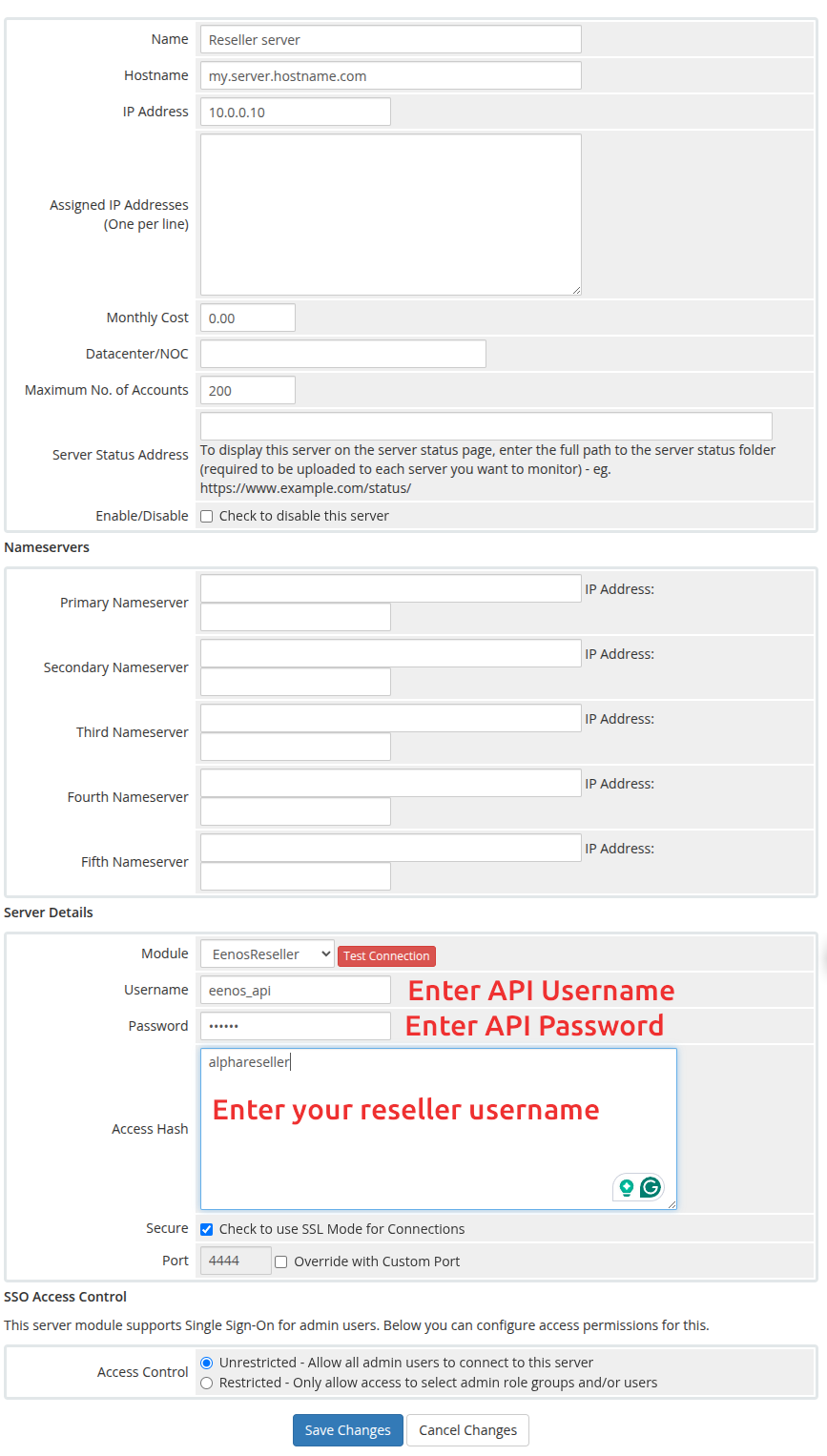
To set up an Eenos Server in WHMCS :
- Go to Configuration > System Settings > Servers.
- Click Add New Server.
- Select EenosReseller from the menu.
- Click Go to Advanced Mode
- Enter Hostname
- Enter IP Address
- Enter Username with API User Name ( You can create from Eenos Reseller -> Advanced Tools ->API -> API Manager )
- Enter the password of the API user
- Enter your reseller username in Access Hash
- Click Test Connection
- Enter the desired additional server details.
- Examine the displayed default port. If your server uses a different port, check Override with Custom Port and enter the correct port.
- Click Save Changes.
See a screenshot below,
It is important to click on the "Refresh Icon" on the server list so that the server packages will be fetched.